


Encryption Wizard (EW) is a simple, strong, Java file and folder encryptor for protection of sensitive information (FOUO, Privacy Act, CUI, etc.). EW encrypts all file types for data-at-rest and data-in-transit protection. Without installation or elevated privileges, EW runs on Windows, Mac, Linux, Solaris, and other computers with Sun Java.
Backtrack 5 has already come with ewizard ; it `s located in the /pentest/misc/ewizard . But it`s not latest version so we have to download latest version
Download Ew-public from here
Extract zip file where you can see one java file ; & ewizard user manual which contained all information about how to use it to encrypt & decrypt your private data.
For linux user
java -jar EW-Public-3.3.5.jar
For windows user double click on jar file & you can also install from tools & click on install
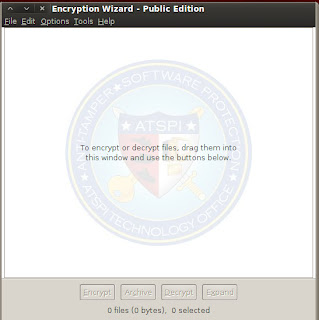 It open Encryption wizard.Now click on file menu & add folder or file to encrypt.
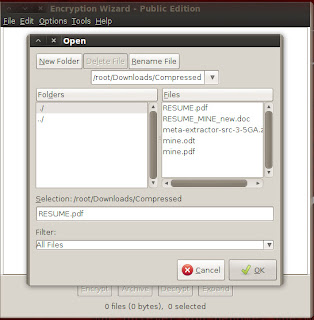
Now add file & enter passphrase . You can also enter certificates; metadata . You can also generate password which show in last tab.
Now your file is encrypted.
To decrypt, drag the .wzd / .wza file into Encryption Wizard and select ‘Decrypt’. & enter your passphrase.

Backtrack 5 has already come with ewizard ; it `s located in the /pentest/misc/ewizard . But it`s not latest version so we have to download latest version
Download Ew-public from here
Extract zip file where you can see one java file ; & ewizard user manual which contained all information about how to use it to encrypt & decrypt your private data.
For linux user
java -jar EW-Public-3.3.5.jar
For windows user double click on jar file & you can also install from tools & click on install


Now add file & enter passphrase . You can also enter certificates; metadata . You can also generate password which show in last tab.
Now your file is encrypted.
To decrypt, drag the .wzd / .wza file into Encryption Wizard and select ‘Decrypt’. & enter your passphrase.


